
 Hard bounces: when should an address come off the suppression list?Not every hard bounce is a dead address. What the bounce codes mean, which ones to suppress for good, which ones deserve a quarantine, and how Mailchimp handles it.
 Ruth Williams ·
 acadion cleans your audience. It finds the contacts who never open, click or buy and archives them, so your emails land in the inbox, your sender reputation recovers and you stop paying for people who don't read them. Then it shows you what each campaign brought in, with reports built for ecommerce stores and newsletters.
Your email marketing on steroids.
 MailchimpLive
 KlaviyoSoon
of a typical list is unsubscribed or hasn't engaged in over a year, and still gets billed.
revenue from an unsubscribed contact. Mailchimp charges for them anyway.
typical yearly savings on a 20k list after the first audit. Most accounts drop at least one billing tier.
And that's just the invoice. The bigger cost doesn't show up on it.
The most-used email providers don't grade your emails one by one. They grade you, by how the people you send to react.
Every send to someone who never opens counts against your domain. Enough of them, and mailbox providers start treating you like a bulk sender nobody asked for.
A low reputation doesn't bounce your emails. It quietly moves them to Promotions or spam, including the ones going to your best customers.
People who stopped caring don't unsubscribe, they hit "report spam". The most-used email providers expect senders to stay under 0.3% complaints. A stale list gets you there fast.
Archiving ghosts isn't housekeeping. It's how the people who want your emails keep getting them.
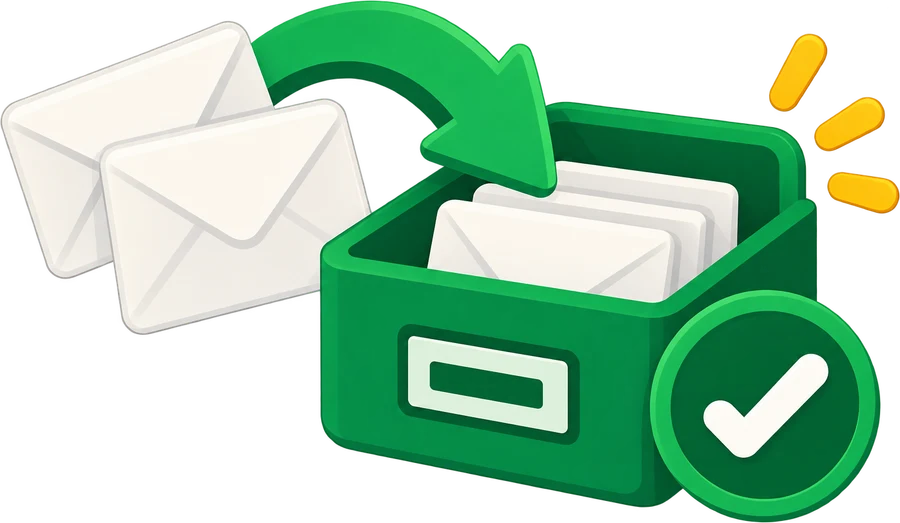
Cleaning a list feels risky because deleting is forever. Archiving isn't.
Archived contacts leave your bill and your sends, and keep their full history.
If one signs up or buys again, Mailchimp brings them back on its own.
You can restore any of them, or all of them, in one click.
Tag the batch as you archive it. Months later, restore it and they come back tagged, ready to win back with one campaign.
Archiving doesn't have to be goodbye. Tag the batch as you archive it and the tag stays on every contact. Bring them back whenever you want and they return tagged, ready for a win-back campaign.
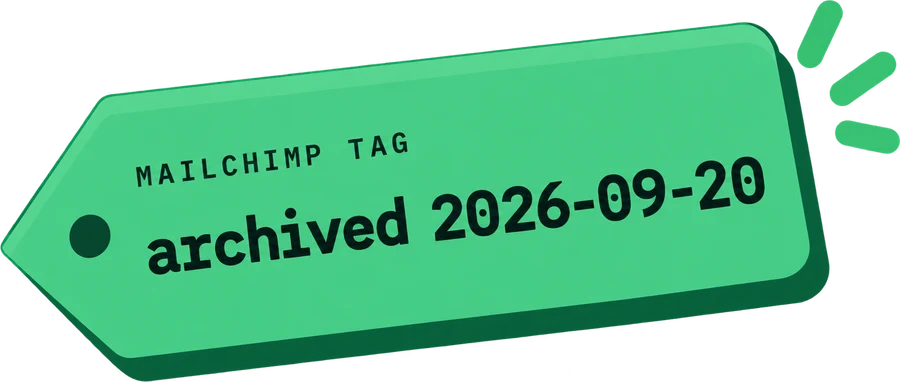
One checkbox. Name the tag yourself or keep ours, like the one on the left.
Mailchimp keeps the tag on every archived contact. It reads as empty while they're archived, and fills back up the moment they return.
Restore the batch and they come back tagged. Send one campaign to that tag: whoever clicks stays, the rest go back to the archive.
No CSV exports, no Zapier duct tape, no monthly chore. Connect once and acadion keeps your audience, your bill and your sender reputation clean.
Secure OAuth, two clicks, no API keys. acadion runs a read-only audit and shows exactly which contacts cost you money and why.
Decide what dead means for your business: opens, clicks, purchases, or any combination. Preview who matches before anything happens.
acadion re-audits overnight on the schedule you pick and sends a monthly report: contacts archived, dollars saved.
Combine open activity, click activity, purchase history, Mailchimp's own member rating and signup age with AND/OR logic. Lean on clicks, not opens: some email apps fake opens, and clicks are what mailbox providers trust too.
Audit the non-subscribed contacts your integrations synced in: billable, never opted in. And set protections, because VIP tags, top spenders and new subscribers are never touched no matter what the rules say.
On a 10,000 contact demo list this archives 2,156 contacts: haven't opened in 180 days and haven't clicked in 180 days
From one freelancer to a company with dozens of Mailchimp accounts: the same product, with the structure a team needs.
Belong to as many organizations as you need, each with its own Mailchimp accounts, rules and plan. Agencies run every client as a separate organization and switch from the sidebar.
Each organization is its own tenant: accounts, audits, archived contacts and billing never cross over. What happens in one client stays in that client.
Owner, team admin, billing admin, integrations admin and analyst. Analysts only see the Mailchimp accounts you assign them.

AI that reads your campaigns the way an experienced email marketer would, and tells you what to change to get more opens, more clicks and fewer unsubscribes.

A newsletter cares about opens, a store cares about orders. Your archiving rules match how you actually make money.
The same email in two audiences bills you twice. acadion finds the duplicates, shows you the overlap between audiences, and can archive the redundant copies — keeping the most active one — when you turn that rule on.
Years of unsubscribed and cleaned contacts archived in one batch run on day one. Usually a full tier drop by itself.
Daily, weekly or monthly. Every run applies your rules again, so dead contacts never pile back up on your bill.
Archiving is Mailchimp-native and undoable. Full log of every archived contact, restore any of them in one click.
A webhook catches every new unsubscribe and archives it immediately. You never pay a full month for someone who left.
A monthly email with the only metric that matters: contacts archived, tier before and after, dollars saved to date.
See exactly who matches before any audit runs. Approve manually, or switch to autopilot once you trust your rules.
Same ghosts, same overbilling. Join the waitlist and we'll tell you when your Klaviyo bill can shrink too.
Every archived batch can carry a Mailchimp tag you name. Restore them later and they come back tagged, ready for a win-back campaign.
The whole path from send to order, filtered by customer group and campaign, so you can tell which audience and which message actually moved the number. No exporting three reports. CSV and PDF.
Estimated from Mailchimp's public Standard-plan tiers. Your audit returns the exact number for your account.
Start with a free audit. You see the exact dollar amount before you pay anything.
See what you're paying for before you pay us anything.
One account, cleaned every month with your approval.
Bigger lists, more accounts, priority support.
More accounts, more contacts, or an agency running many clients. Tell us what you need and we'll set it up.
We've spent years inside email programs, billing dashboards and deliverability reports. acadion is the tool we kept wishing existed.
Scaled two SaaS products past their first ten thousand customers. Writes the savings reports you'll actually open.

Over 20 years building e-commerce platforms, email marketing systems and B2B software. Knows exactly what a healthy list looks like, and how much an unhealthy one silently costs.
Yes. Archiving is Mailchimp's own feature: the contact and their history stay intact, they just stop counting toward your bill. acadion logs every archived contact and you can restore any of them in one click.
Yes, and that's the default. The audit only reads, it archives nothing. Every connected account has an Auto-archive switch, and with it off each audit stops with the matching contacts listed and waits for you. Anything already archived comes back just as fast, one contact or a whole audit.
If an archived contact signs up or buys again, Mailchimp unarchives them automatically and acadion won't touch them while they're active. You can also set conservative rules, say a full year of silence across opens, clicks and orders, and preview every match before an audit runs.
No. New subscribers are protected by default: anyone who joined in the last year is kept, even if they haven't opened anything yet, so they get time to settle into your list. You can shorten the window to 180, 90, 60 or 30 days, or turn it off.
Some email apps open every message automatically for privacy, which inflates open rates. That's exactly why acadion doesn't rely on opens alone. Combine clicks and purchase history in your rules: signals an email app can't fake.
Yes. Mailchimp counts the same email once per audience, so a contact in three audiences bills three times. Every audit reports the overlap between your audiences. Archiving the redundant copies is a rule you switch on: it keeps the most active copy of each contact, never touches VIP or high-spend copies, and like everything else waits for your approval and is reversible.
acadion uses Mailchimp's official public API and OAuth, the same way any registered integration connects. Archiving via API is a documented, supported operation.
Archived contacts stop receiving campaigns, so every send goes to people who engage. That's the signal the most-used email providers rely on to decide between inbox and spam. We can't promise a number; we can promise you stop mailing people who never react.
So you can win them back later. Mailchimp keeps the tag on archived contacts, but shows it as empty while they're archived. Restore the batch and they come back tagged, ready for a win-back campaign.
No. Tags are free in Mailchimp. What lowers the bill is archiving.
Never. acadion reads contact activity metadata and archives contacts. It does not send email, edit campaigns, or export your list anywhere.
Free audit, two clicks, read-only. Worst case: you learn your list is spotless.